Tag: Web Design and Development

Your Login “Security” Is Awful

You want to log in? No problem!

Put in your email, press enter.

We’re not asking for your password at the same time, because we hate password managers. Everyone knows you’ve memorized them, or use the same one, or whatever.

Oh, wait, we don’t want your password!
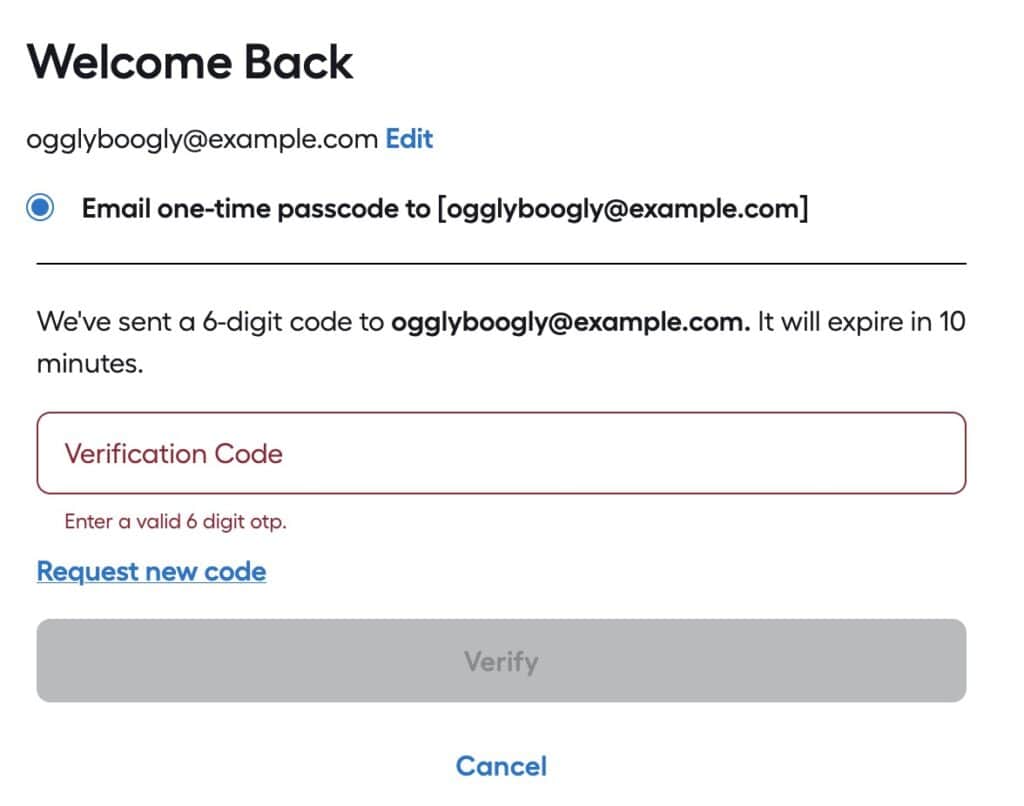
We've sent a 6-digit code to ogglyboogly@example.com. It will expire in 10 minutes.
I hate you.

We’ll email a code and you have TEN MINUTES to type it in! What’s the problem?

The “Problem”

The reason why one would set an expiration time on a verification email is so the verification can’t be intercepted after the fact and used to log in.

For example, if a user tried to log in and forgot to check their email, someone later could look at their email, find the verification message and use it to log into the user’s account. That’s fine.

In the above case, the developers are expecting a user’s account to be SO COMPROMISED, they can’t afford to leave it exposed for more than 10 minutes!

Email is slow

Well, not slow, but not guaranteed to be there instantly.
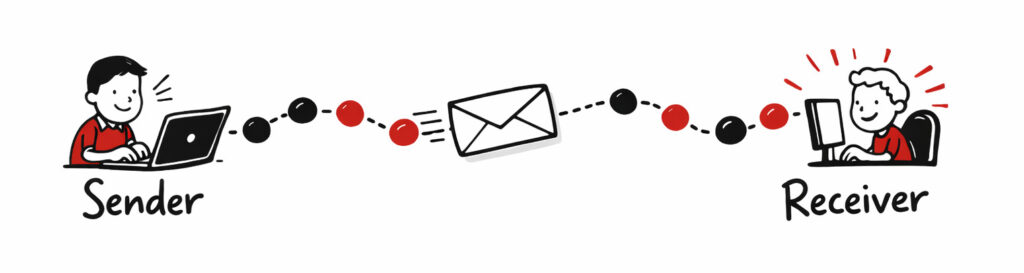
Showing an email moving from sender to receiver
Email passing through nodes (GPT)

Emails from a sender to a receiver have to pass through one or more relays–and those relays can delay transmission for seconds, minutes or hours. One potential issue is if a transmission between two relay nodes must be resent due to errors.

An email sent to your neighbor can potentially take longer than one sent to a friend in another country; it all depends upon the speeds of transmission and delay between notes.

Options

There are several alternatives to using a verification email with a 10 minute expiration, that have less of a burden upon the end user and still provide security. Relying upon a user’s email account is risky, as that is one of the prime goals of attackers: take over a user’s email account and you can gain access to most of all their accounts on other services via the “forgot password” action.

Good

First, don’t set the email expiration time too soon. If you set it to expire in an hour, that is a good compromise between leaving the login ‘exposed’ and giving the user a reasonable time to receive the email and use it.

Once the code/link/token in the email is used it should become invalidated so it can’t be used again. This will vastly reduce the danger of a bad actor somehow gaining access to the verification email and thus the user’s account. They would still have to get the email and try to log onto the account before the actual user did.

Better

  • Use SMS to send a validation code/token, which is more reliable as the nodes are designed for fast communication.
  • Give the user an option to use a regular (long) password, or a token from an authenticator app instead of a validation email. As of 2026, passwords shorter than 11 characters are mostly useless from brute-force guessing. Using a password manager to generate longer passwords (e.g., 30 characters) is a good approach. Enforcing complexity (e.g., uppercase + number + lowercase + special character) has little bearing on security.

Best

Use passkeys.

☠️ Security Questions = PWND ☠️

Another excuse for me to say that security questions are a tell the developers aren’t skilled in securing applications, and they happen to be climbing on Mt. Stupid.

A historic black-and-white photo of a train wreck, illustrating the importance of accurate project estimates.

Security questions give you the opportunity to use a weak password to bypass a strong password (or passkey, authentication token, email verification, etc).

US Healthcare Websites are the Worst

How many healthcare websites were designed by someone who knows nothing about user interface design?

A: All of them

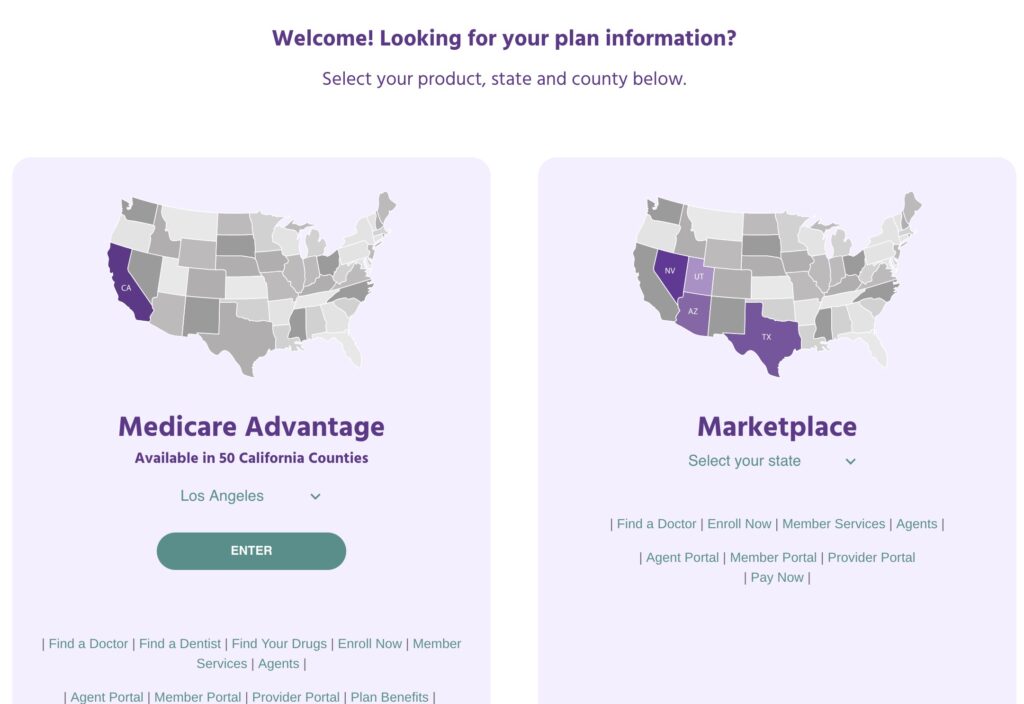
A mass of tiny links with no organization
Garbage Healthcare Insurance Website

Call to action? 🤣

Let’s say you wanted to log into the member portal. Where is it?

(I cropped the header off because this particular insurance company is not special in any way; they all suck more or less the same way)

Good luck, it is in the bottom of the screen. There’s no menu, no LARGE call to action. Nothing.

In fact there’s no menu at all.

The first time I tried to find it, I skimmed until I came to “Member Services” and clicked it. WRONG!

The link for the portal is below the member services link.

What can you do?

Nothing, absolutely nothing. Except learn from these idiots’ mistakes.

  1. Figure out what is the most-used function for your website.
    • For potential new customers,
      • a link to a plan summary that shows the difference between plans and their costs, and
      • links or buttons to enroll in a particular plan
    • For new customers, it is two or three things:
      • Getting an ID card,
      • Finding an in-network doctor, and
      • possibly paying the first month’s premium (rare) forget it, no one is going to do this unless you’re on Obamacare which was burnt and put up on blocks by the GOP.
    • For existing customers it is two things:
      • Checking balances (deductibles),
      • Reviewing Explanation of Benefits (EOBs),
      • Locating a doctor, and
      • Printing a new ID card
  2. Make the most-used functions FRONT AND CENTER, with as few actions (mouse clicks, scrolls, typing) as possible.
  3. Make it so your site does all the heavy lifting, figuring out what to place in front of the user based upon their needs.

What they did

Here’s what they’ve determined their customers are most interested in

  • Deciding whether they are Medicare Advantage or Obamacare patients

Then as an afterthought, at the bottom,
away from everything else,
in small print:

  • Find a doctor – will be used while a person is trying to figure out where they can go
  • Enroll Now – will only be used once and never again
  • Member Services – what the hell does that even mean? Will customers use this often or not at all?
  • Agents – Never used by any customer
  • Agent Portal – Never used by any customer
  • Member Portal – probably used by customers, a lot
  • Provider Portal – Never used by any customer
  • Pay Now – used by a tiny, tiny fraction of customers that don’t have job-provided insurance. Will only be used once to set up auto payment, except for that even smaller fraction of people who don’t trust autopay (probably 5 people)

Out of that whole mess, 13% (or maybe 26%) will be used by customers several times, 13% will be used once, 38% will NEVER be used, 13% will be used by a tiny fraction of customers one time (and a minuscule number more than once).

Worst case, 13% will be used by customers and 87% will not be used, yet they are almost all treated as having the same importance (for options on the second and third lines–which happens to contain the more-important options–they are slightly worse)

A clown sitting in the trunk of a car

Don’t do this. Ever.

Unless you’re a clown.

More Information

The importance of turning on debugging

Debugging a php script with emacs in geben mode.
Debugging a php script with emacs in geben mode. (Photo credit: Wikipedia)

I was recently testing some wordpress plugin code for an upgrade. As part of my testing, I turn on debugging to see if any errors or warnings show up.

Imagine my surprise when several errors appeared, many of them deprecation warnings. After troubleshooting to determine the source of the errors, I discovered it was coming from the theme I was using.

Without turning on debugging, the site appears to behave normally, which is problematic. One of my objections to many languages and frameworks is that they hide problems from the developer. In many cases, for example, deprecation warnings don’t mean much—except they’re a ticking time bomb. At some point in the future, the code is going to break. Better to fix it now while it is easier to do, than scramble to diagnose and fix lots of code just after an upgrade.

In the case of WordPress (or PHP in general), it would be helpful if the admin area showed everything – bugs and warnings. For novice admins, of course, this would be a support nightmare, as they would have little clue what was going on. The upside is (hopefully) sloppy coders would fix their stuff promptly. Nothing will get a plugin/theme pulled faster than getting an error right after installing it.

Why Flash Intros are bad and you should feel bad for using them

Remember when flash introduction pages were all the rage? They were ‘cool’ from the web designer‘s standpoint, but utterly annoying and off-putting to the visitor. Fortunately, most people figured out that people visited their site for the content, not the snappy graphics (unless it was a gallery site), and certainly not for the mandatory intro pages.

Yet, some people still haven’t gotten the clue that the 80s called and they want their flash intros back.

xkcd: the seventies called

For those who remember with revulsion, here’s the old SkipIntro parody. The site is long gone, but it would be a shame to let it fade away!

SkipIntro

If you haven’t clicked on it, do it now! Relive the pain of the never-ending flash intro to the sound of weird Indian music and gunfire!

The OG SWF

For those who somehow can still play flash file (via a plugin or whatever), here is the original SWF: